


ibis Paint X
4.5126.25K Reviews
App Specs
- Version
- 14.0.11
- Updated On
- License
- Free
- Downloads
- 100,000,000+
- Developer
- ibis inc.
- Categories
- Art & Design
- Platform
- Android, iOS
Screenshots
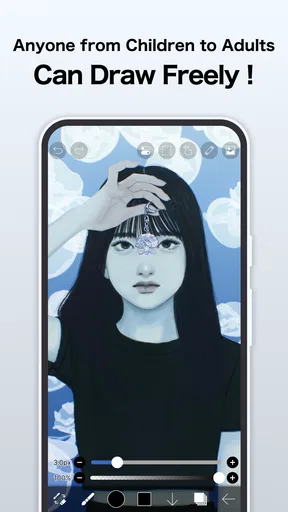
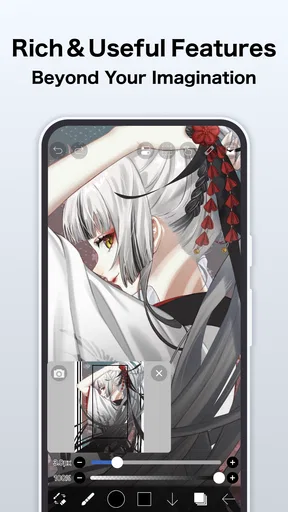

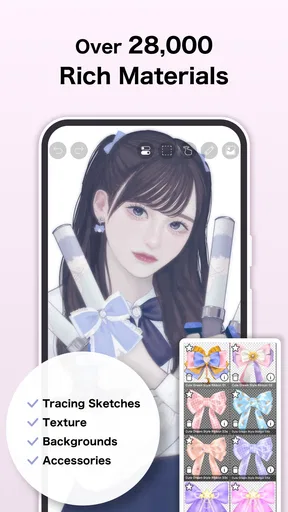
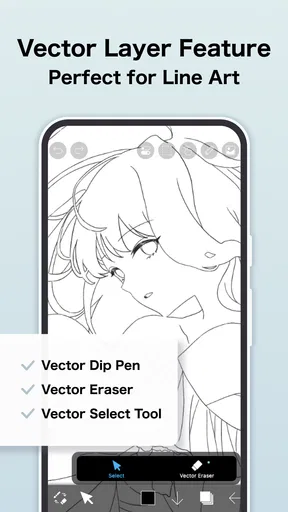
 Analysis by AppCompare
When a tablet or phone gets passed around at home, a drawing app can become more than one person’s private sketchbook. I’d use ibis Paint X for that casual, shared-device setup: one person can make a quick comic panel, another can test colors, and a younger artist can spend time drawing without needing a separate desktop program. The important thing is to agree on whose projects are whose before anyone starts editing. A capable art app gives you plenty to explore, but it does not replace household rules about devices, accounts, or sharing.
One canvas, several kinds of artist
In a household, the app’s broad toolset is useful because people rarely draw in the same way. A child might want to color a simple character, while an adult uses the same screen for lettering, a birthday-card sketch, or a more carefully layered illustration. I like that this kind of range can make a shared device feel welcoming rather than tied to one person’s hobby. The trade-off is that a large set of tools can look busy to a first-time user; it helps to begin with one brush and a blank canvas instead of trying to understand every control at once.
A realistic use case is a rainy afternoon project: one person sketches a scene, someone else adds color on a separate layer, and the family chooses whether to save it as a keepsake or export it for sharing. I would treat that as a collaborative activity, not assume that the app automatically separates each person’s work. Before handing over the device, make sure the current drawing is saved and that the next user knows which canvas they are opening. That small habit prevents an enthusiastic helper from changing a project that someone meant to keep untouched.
Guides and Analysis on ibis Paint X
Set boundaries before the device changes hands
Because ibis Paint X is a full-featured drawing app, it can invite longer sessions than a quick doodle. I’d set expectations around when the device is available, how long a drawing session lasts, and whether finished images may be posted publicly. Those are household decisions rather than special drawing tools, but they matter more when a shared screen is used by people of different ages. If a project is personal, the simplest boundary is to ask before opening, changing, or sharing it.
It is also worth separating creative freedom from account access. If several people use one device, agree on who is signed in to any services and who is responsible for posting or interacting with the app’s community. I would not assume that a shared device creates separate profiles or keeps every person’s activity distinct. For a child, an adult can help decide whether community browsing or public sharing is appropriate, then keep the device’s broader account and privacy settings under the adult’s supervision.
Coordinate projects without turning art into a chore
For joint work, a simple plan beats a complicated handoff. Decide who is sketching, who is adding color, and who has the final say before passing the device along. Layers can support that workflow: one person can keep the original sketch separate from another person’s coloring, making it easier to revise one part without repainting the whole image. I’d still save at natural stopping points and avoid letting several people make changes at once, especially when the project matters to someone.
There is a useful distinction between making art together and sharing the device casually. A collaborative canvas benefits from a quick conversation about what can be changed; casual use works better when everyone starts a fresh project. If someone wants to learn from another person’s drawing, watching the process can be more respectful than taking over the canvas. That approach makes the app’s process-sharing strengths useful while keeping ownership clear.
Worth Reading Before You Choose

Switching to Android Auto Means Rethinking Your Driving Routine

Google Calendar Makes a Crowded Week Easier to Manage

Ludo King Makes the Most of the Minutes Between Plans

Baby Panda World Brings Quick Play to Modern Phones, but Its Game Library Feels Busy

ESPN’s Live Game View Makes Following Close Games Easier

QuizzLand Review: A Good Fit for Short Trivia Breaks, Not Every Player
Age, trust, and the right level of supervision
The app is rated Everyone, which makes it broadly suitable for a general audience, but that label does not decide how a family should handle online activity or in-app purchases. ibis Paint X is free to download, with in-app purchases priced from $2.99 to $27.99 per item. I’d explain that distinction to a younger user: starting to draw does not require treating every optional purchase as part of the basic experience. An adult should handle purchase decisions on a shared device, rather than relying on a child to judge whether an upgrade is worthwhile.
Its community and sharing options also deserve a little context. Showing a drawing can be motivating, and looking at other artists’ work can give a beginner ideas, but public posting is not necessary to enjoy the drawing tools. In my view, a new user can first learn privately, then decide with a trusted adult whether and how to share. That makes the social side a choice rather than an assumed part of every art session.
When I’d choose another kind of art app
Compared with a basic sketching app, ibis Paint X offers a deeper set of brushes, layers, and editing options, which suits someone who wants to grow beyond simple doodling. Compared with a desktop illustration program, a phone or tablet app is easier to pick up for a spare-moment sketch, but the smaller screen and touch controls can feel limiting when a project needs precise, extended work. If your main goal is professional production on a large canvas or a workflow built around desktop tools, I’d consider a desktop-focused option instead.
It may also be the wrong choice for someone who wants a minimal interface with almost no decisions to make. A broad toolset is a strength for experimentation, but it can become friction when all you want is a quick note or a very simple sketch. I’d recommend starting with a small, repeatable workflow—choose a canvas, pick one brush, draw, and save—then explore extra controls only when a project calls for them. That keeps the learning curve manageable without giving up the room to improve.
If you’re into digital art and looking for a stellar app to express your creativity, let me introduce you to ibis Paint X. I've spent some quality time with this app, and let me tell you, it's a digital artist's dream come true. Whether you're a seasoned pro or just getting your feet wet, this app has something to offer.
Getting Started with ibis Paint X
First things first, downloading ibis Paint X is a breeze. Available on both iOS and Android, it's just a quick tap away from being part of your creative toolkit. The interface is sleek and user-friendly, so you won't find yourself lost in a maze of endless menus. It’s designed to get you drawing right off the bat.
Once you open the app, you’re greeted with a canvas ready for your imagination. The setup process is intuitive, with tutorials available if you need a little guidance. But honestly, it’s so intuitive that you might not even need them.
Features That Make a Difference
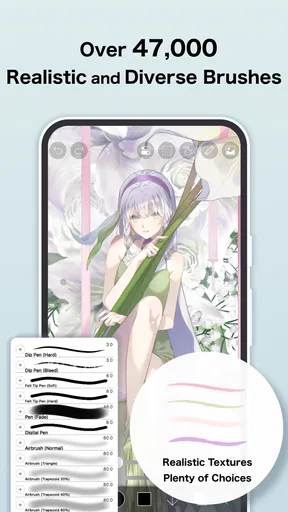
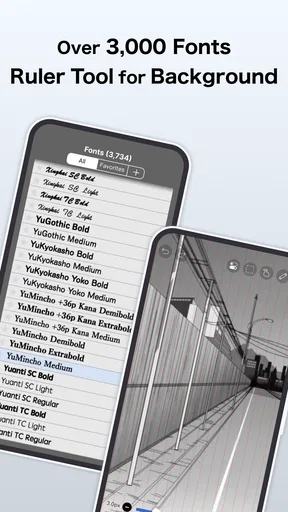
What really sets ibis Paint X apart is its extensive toolset. We're talking over 800 fonts, 380 brushes, and 71 filters. Yeah, you read that right. There’s a brush for every stroke you can imagine—from dip pens to airbrushes, you've got the lot. And the best part? You can customize these brushes to match your style.
One feature that really caught my eye is the stabilization tool. If you’re like me and sometimes your hand isn't the steadiest, this feature smooths out your lines, making them look oh-so-professional. Plus, the layering system is robust, letting you work in a non-destructive way. You can add as many layers as your device can handle, which is a huge plus for complex projects.
Sharing and Community
Now, creating art is one thing, but sharing it is where the magic happens. ibis Paint X makes it super easy to export your artwork and share it on social media. The app even has its own social community where you can see what other artists are up to, and trust me, it’s inspiring.
If you're feeling generous, you can even upload your drawing process as a video. It’s a fantastic way to showcase your skills or just share your creative journey with others. Plus, watching others’ processes can be a great learning tool.
Performance and Usability
I found the performance of ibis Paint X to be smooth as butter. Even with multiple layers and effects, it didn’t lag or crash. It’s clear the developers put a lot of thought into making this app not only feature-rich but also stable.
The app offers a free version, which is pretty robust on its own. However, if you’re serious about your art, the premium version unlocks even more features, like additional brushes and ad-free usage. It’s worth the investment if you ask me.
Final Thoughts
All in all, ibis Paint X is a powerhouse for digital art enthusiasts. Whether you're doodling for fun or creating detailed artwork, this app has the tools you need. Its combination of a user-friendly interface and powerful features makes it a standout choice.
So, if you're ready to unleash your inner artist, give ibis Paint X a try. You won’t be disappointed. It’s like having a complete art studio right in your pocket. Happy drawing!
Who will get the most from it?
I’d recommend it most to people who enjoy drawing often enough to benefit from learning a flexible toolset: hobby illustrators, students practicing line work, and anyone who likes developing a sketch into a finished image. It can also be a good fit for a parent and child who want to draw together, as long as they agree on saving, editing, and sharing beforehand. The free starting point makes it easy to try the basic workflow before deciding whether the optional paid extras matter to you.
For a beginner, my practical advice is to resist the urge to customize everything on day one. Pick a brush that feels comfortable, test stabilization at a level that still lets your lines feel natural, and use a small number of layers with clear purposes—sketch, line work, and color, for example. If the drawing starts to feel confusing, rename or simplify layers rather than adding more. This makes revisions less intimidating and helps a new artist understand why layers are useful.
Practical choices for a smoother drawing session
Before beginning a detailed piece on a shared device, I’d check that there is enough room to work comfortably and that the person who started the project is ready to hand it over. Small screens can make fine details awkward, so zooming in for careful line work and zooming back out to judge the whole composition is a sensible rhythm. Stabilization can help with deliberate strokes, but setting it too strongly may make quick, expressive marks feel less direct; I’d adjust it to the drawing rather than leave one setting on by habit.
Brush customization is another feature worth approaching gradually. Instead of building a large collection of nearly identical brushes, I’d keep a few dependable choices for sketching, clean lines, and soft shading. That reduces menu searching and makes a shared workflow easier to explain to someone else. The wide range is valuable when you are exploring a particular look, but it does not mean every image needs a different tool.
On the practical side, ibis Paint X is an app from ibis inc., and its current version is 13.1.16. It has been available since February 27, 2014, and it works on devices running Android 7.0 or later. Its average rating is 4.4 from around 2.8 million ratings, with roughly 122,000 written reviews and more than 100 million installs. Those figures suggest that it has reached a very large audience, but I would still judge it by whether its interface and drawing workflow suit your device and habits.
My household verdict
For home use, I think ibis Paint X works best when the device has clear account boundaries and the people using it know how to protect one another’s projects. It can support quiet solo drawing, a shared art activity, or a young artist’s first experiments with layers, but it should not be mistaken for a family-management tool. Adults still need to guide purchases and decide how community features are used, while users should save work and ask before editing or posting someone else’s image.
My overall recommendation is to try it if you want a serious range of drawing tools in a mobile app and are happy to learn them a little at a time. If you want a stripped-down doodle pad, or your work depends on the space and precision of a desktop setup, another option may feel more comfortable. For a shared household device, a little coordination turns its flexibility into an advantage; without that agreement, the same flexibility can make projects and account use harder to keep straight.
Pros
- Extensive brush variety for detailed art.
- User-friendly interface for easy navigation.
- Layer support enhances creative flexibility.
- Regular updates with new features.
- Strong community sharing for inspiration.
Cons
- Ads can interrupt the creative process.
- Some features locked behind paywall.
- Requires internet for certain functions.
- Occasional lag on older devices.
- Complex features may overwhelm beginners.
FAQs for ibis Paint X
What is ibis Paint X and what features does it offer?
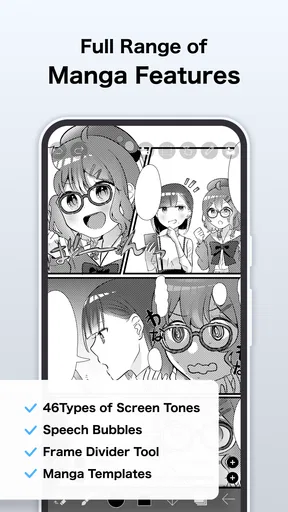
ibis Paint X is a versatile digital painting app designed for artists of all levels. It offers an extensive range of tools, including over 800 fonts, 381 brushes, 71 filters, and 46 screen tones. The app also supports layers and has a stabilizing feature for smooth lines, making it ideal for creating detailed illustrations.
Is ibis Paint X free to use, or does it have any in-app purchases?
ibis Paint X is free to download and use, but it includes optional in-app purchases. These purchases allow users to unlock additional features, such as removing ads or accessing premium brushes. A subscription option is also available, offering enhanced features and tools for a monthly or yearly fee.
Can I use ibis Paint X on both Android and iOS devices?
Yes, ibis Paint X is available for both Android and iOS platforms. Users can download the app from the Google Play Store for Android devices or the App Store for iOS devices. The app is optimized for smartphones and tablets, providing a seamless drawing experience across different devices.
Does ibis Paint X require an internet connection to function?
ibis Paint X primarily works offline, allowing users to create art without an internet connection. However, some features, such as downloading additional resources, accessing the online gallery, or sharing artwork on social media, require an internet connection. Users can enjoy the core functionalities offline.
Is ibis Paint X suitable for beginners, or is it more for advanced artists?
ibis Paint X is designed to be user-friendly for beginners while offering advanced tools for experienced artists. The app includes tutorials and an intuitive interface, making it easy for newcomers to start creating. Advanced features like layer support and customizable brushes cater to professionals seeking detailed and complex artwork.


